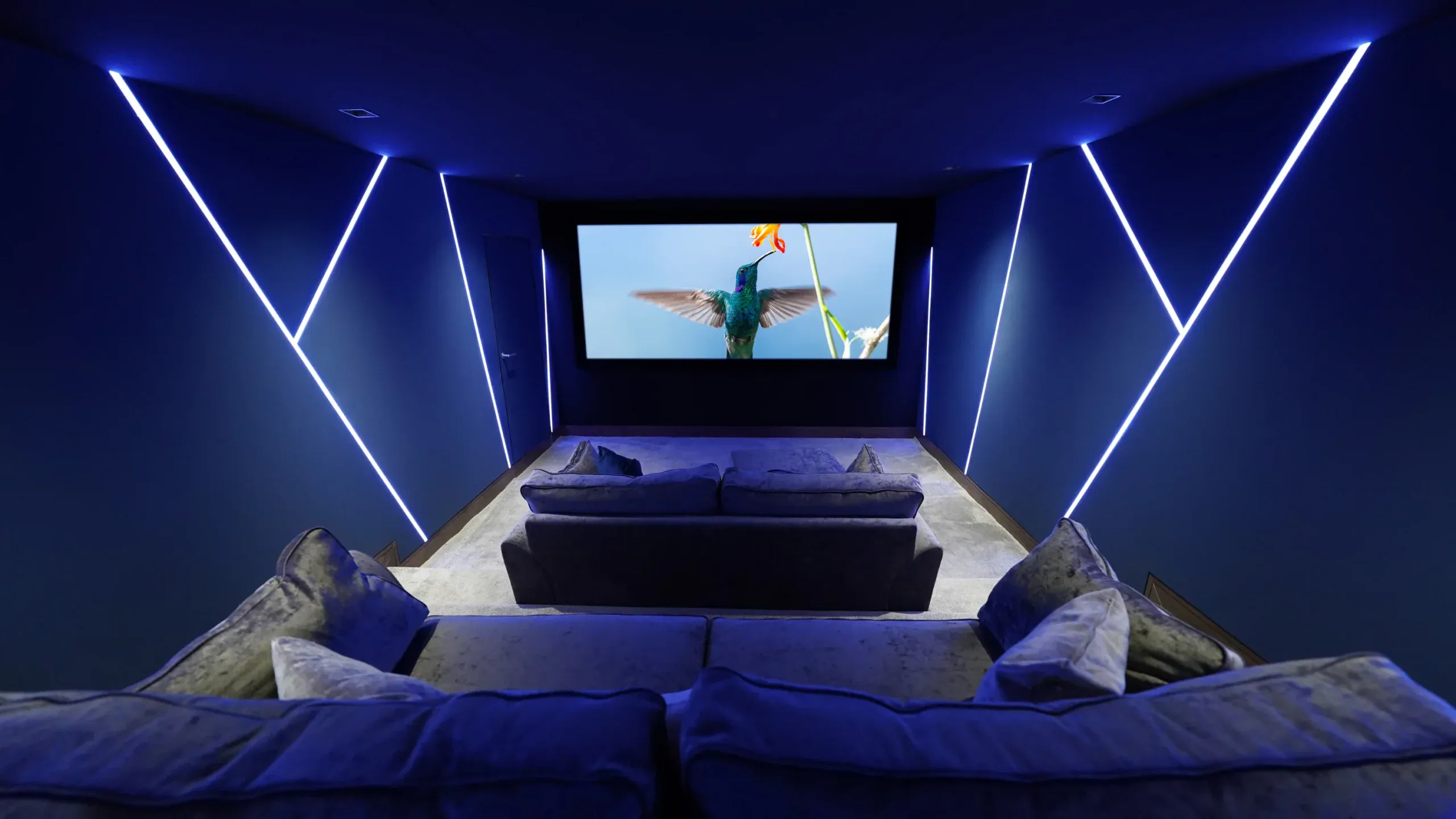
Cinema video designed and installed by Art of Integration

Kaleidescape installer for home cinemas in Surrey and London

Kaleidescape is a film system for home cinemas: you buy films from the Kaleidescape Store, they download to storage in your house, and they play without relying on your broadband. We design and install Kaleidescape players and servers across Surrey and London, connect them to Control4, and run two Kaleidescape players in our Walton-on-Thames demonstration cinema.

Since 2012Showroom in Walton-on-Thames★ 5.0 on Google
Best for

Dedicated cinemas where picture and sound quality matter more than the convenience of streaming

Works with

Control4, through drivers Kaleidescape publishes; Lutron lighting and motorised blinds through the control system

Where to see it

Our Walton-on-Thames demonstration cinema, by appointment

Our experience

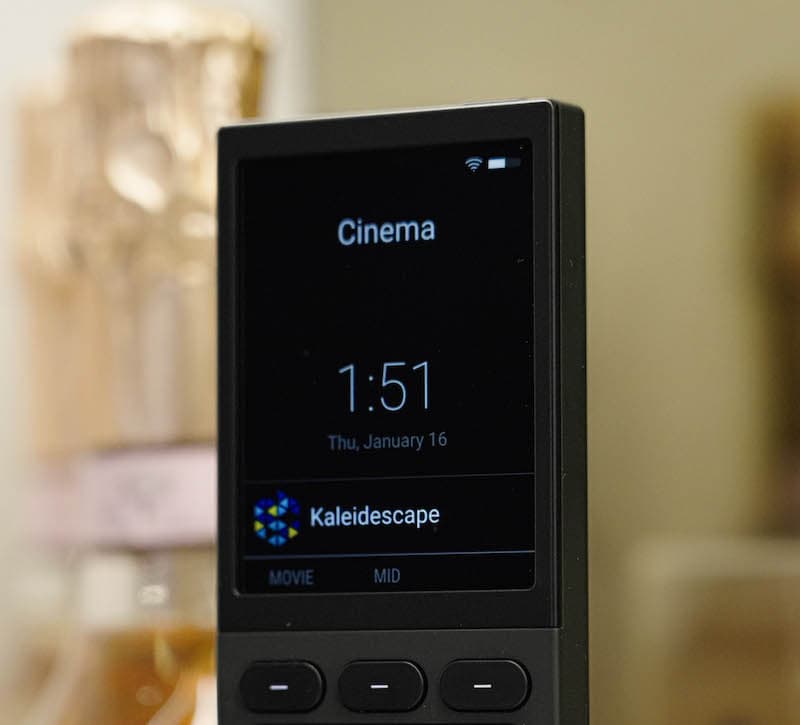
Two Kaleidescape players run from one handheld remote in our own showroom cinema

Official website: Kaleidescape (opens in a new tab)

kaleidescape installerkaleidescape installerkaleidescape installer
Overview
kaleidescape installer
01

What is Kaleidescape, and how is it different from streaming?

Kaleidescape is a film library for a home cinema rather than a streaming app. You buy films from the Kaleidescape Store, they download over your home network, and they are kept on local storage: either inside a Strato movie player or on a Terra Prime movie server. Once a title is in the house, playback no longer depends on your broadband, so a busy evening on the network cannot soften the picture halfway through a film.

The difference you notice on a big screen is bitrate. Kaleidescape says its video and audio bitrates are around ten times higher than typical streaming services, and its Strato players handle bitrates of up to 100 Mbps with lossless soundtracks, including Dolby Atmos and DTS:X. On a screen as wide as the 2.8 metre one in our showroom, that is the gap between a dark night sky that looks smooth and one broken up by blocky steps of grey.

The Kaleidescape Store is open to UK systems, as well as those in the United States and Canada, and Kaleidescape says purchases stay playable when the system is offline.

kaleidescape installerPhoto: Christian Collins, CC BY 2.0, via Wikimedia Commons
02

Why people building a dedicated cinema choose Kaleidescape

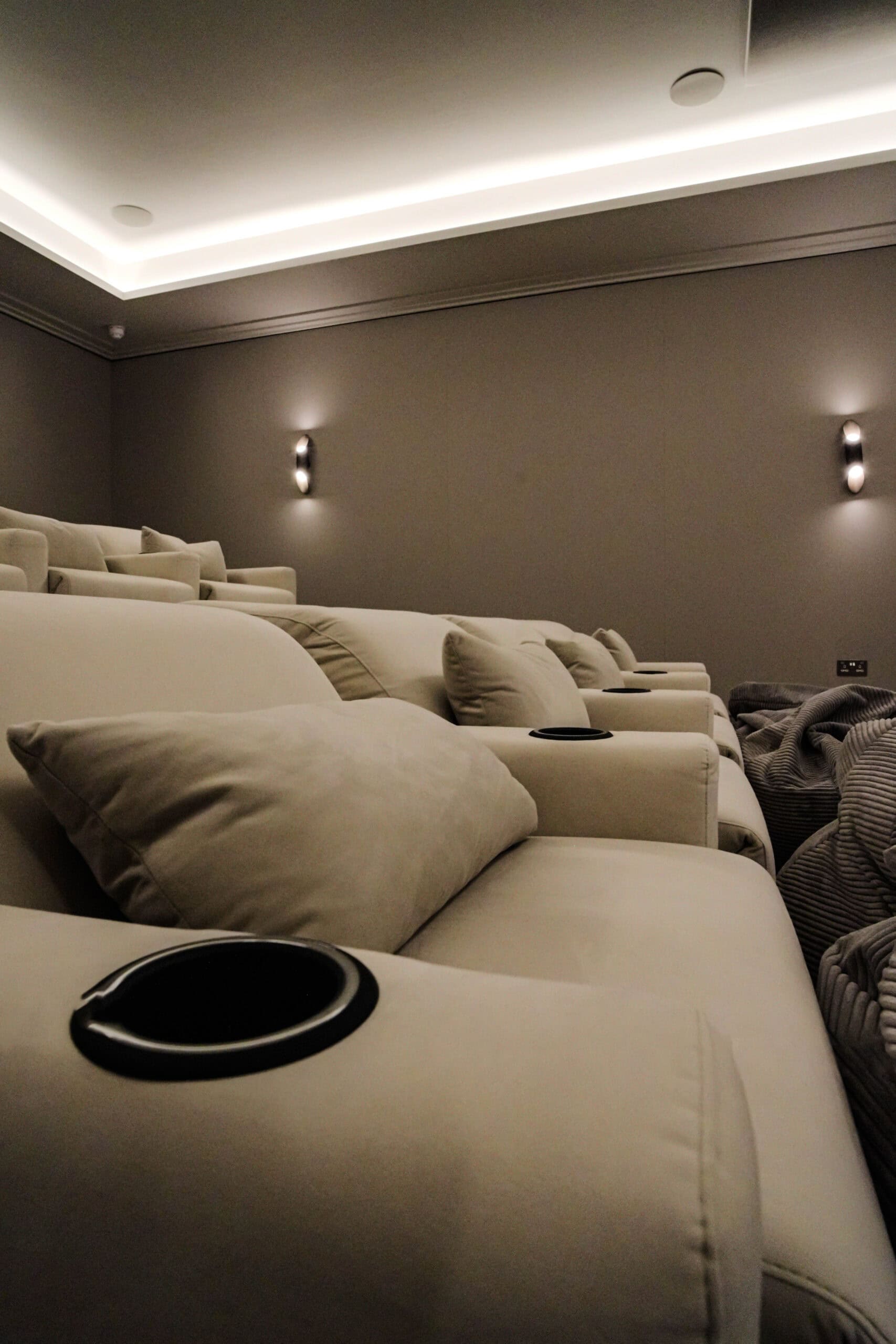
Kaleidescape usually comes into the conversation once a good projector and a properly treated room are planned, because at that point a compressed stream becomes the weakest part of the chain. The reasons that matter in practice are:

  • The same result every time. A film plays from a local copy, so it looks and sounds the same on a Saturday night as it did on a quiet weekday afternoon.
  • A soundtrack worth the speakers. Lossless Dolby Atmos gives a multichannel system with overhead speakers something to reproduce in full. Our guide to Dolby Atmos speaker layouts explains why that layout matters.
  • Nothing to lose. Kaleidescape lets you download a purchased film again at any time, so clearing a title off a player to free space does not mean buying it twice.
  • No discs in the rack. Films arrive over the network, so there is no disc tray to load and no shelf of cases to keep next to the seating.
kaleidescape installer
03

Planning a Kaleidescape film library: players, servers and storage

The main design decision on any Kaleidescape system is where your films will live, and that depends on how you watch.

  • A Strato player on its own. The Strato K works without a server. Its internal 960GB drive holds around seven films in Kaleidescape's top 4K quality, and downloads can be set to clear automatically 48 hours after you watch them. That suits someone who buys a film, watches it and is happy to download it again next time.
  • A Terra Prime server with players. If you want a collection that is always ready to play, a Terra Prime server stores films, series and concerts locally. A system can have up to four Terra Prime servers and any number of Strato players, so one library can serve the main cinema, a media room and a guest suite.

We plan rack space, cooling and network cabling for a server early, ideally in a ventilated plant room or cupboard well away from the seats, and we size it around the collection you expect to keep in a few years rather than the films you own today. One Kaleidescape Store account can download on up to five registered systems, which helps if you also want a cinema in a second home.
Our work

See Kaleidescape in our Walton-on-Thames demonstration cinema

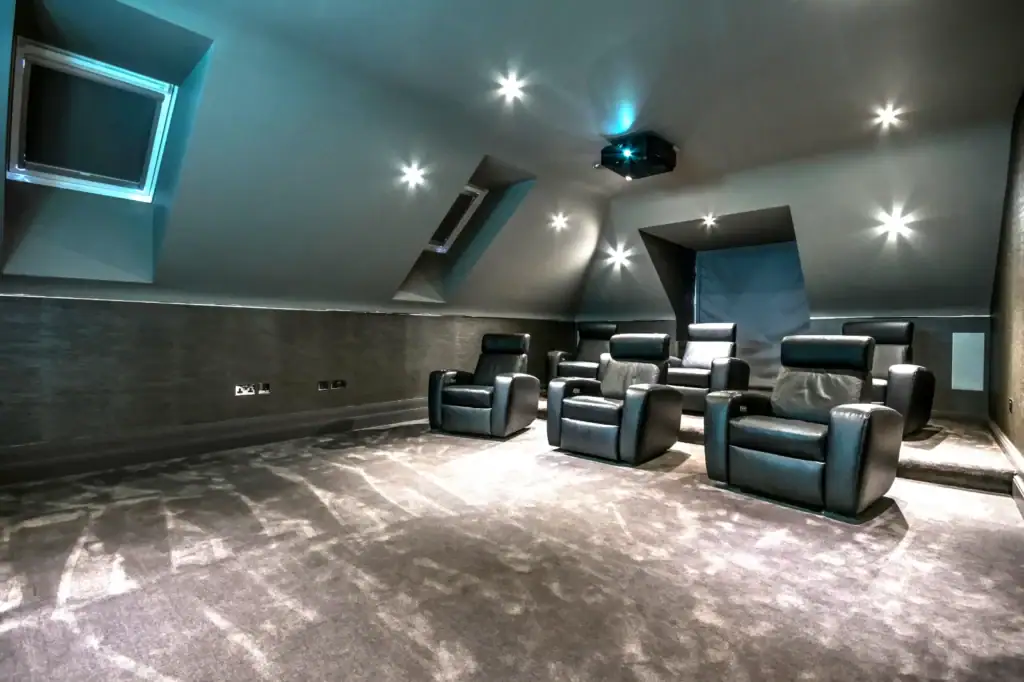
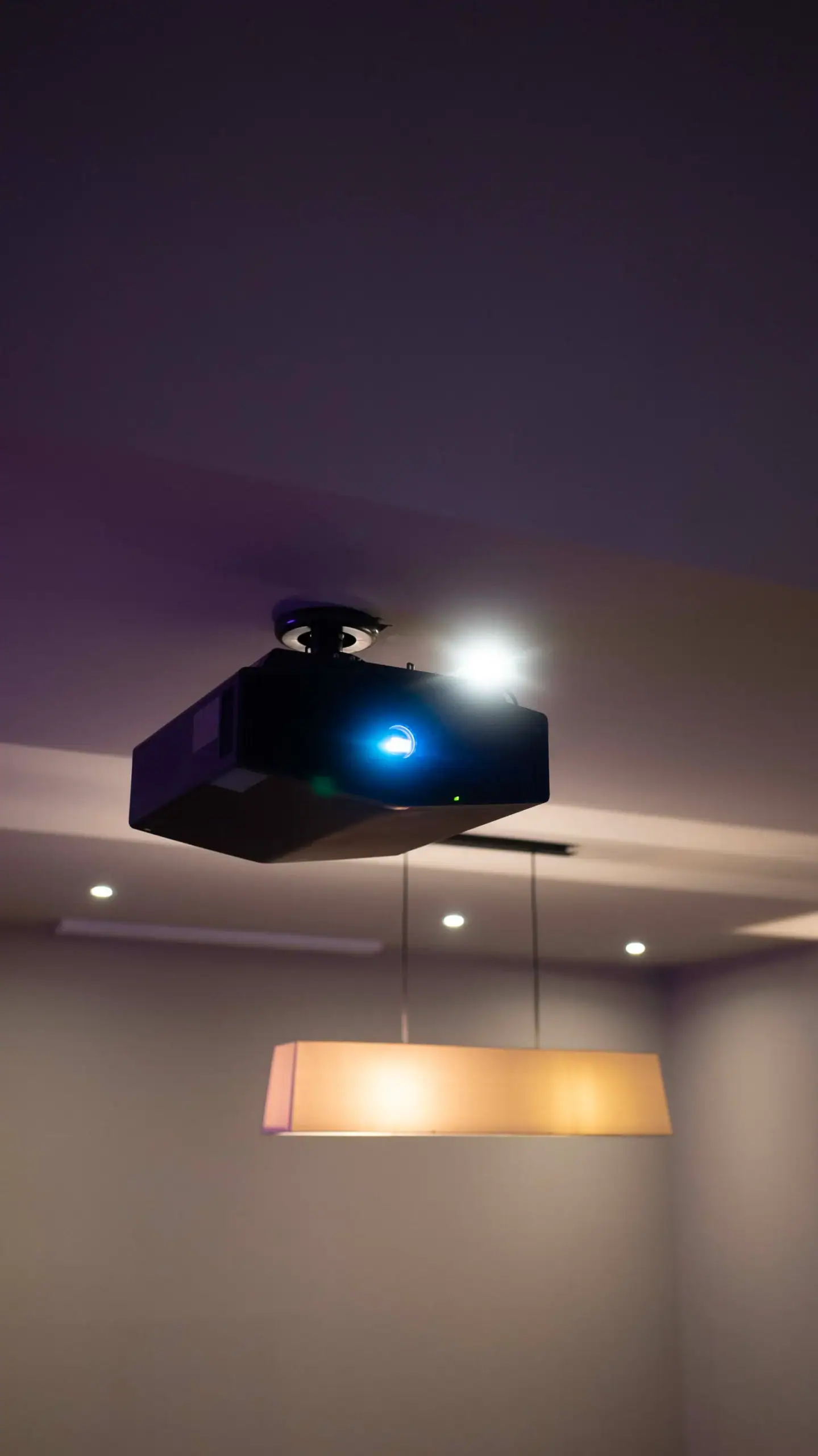
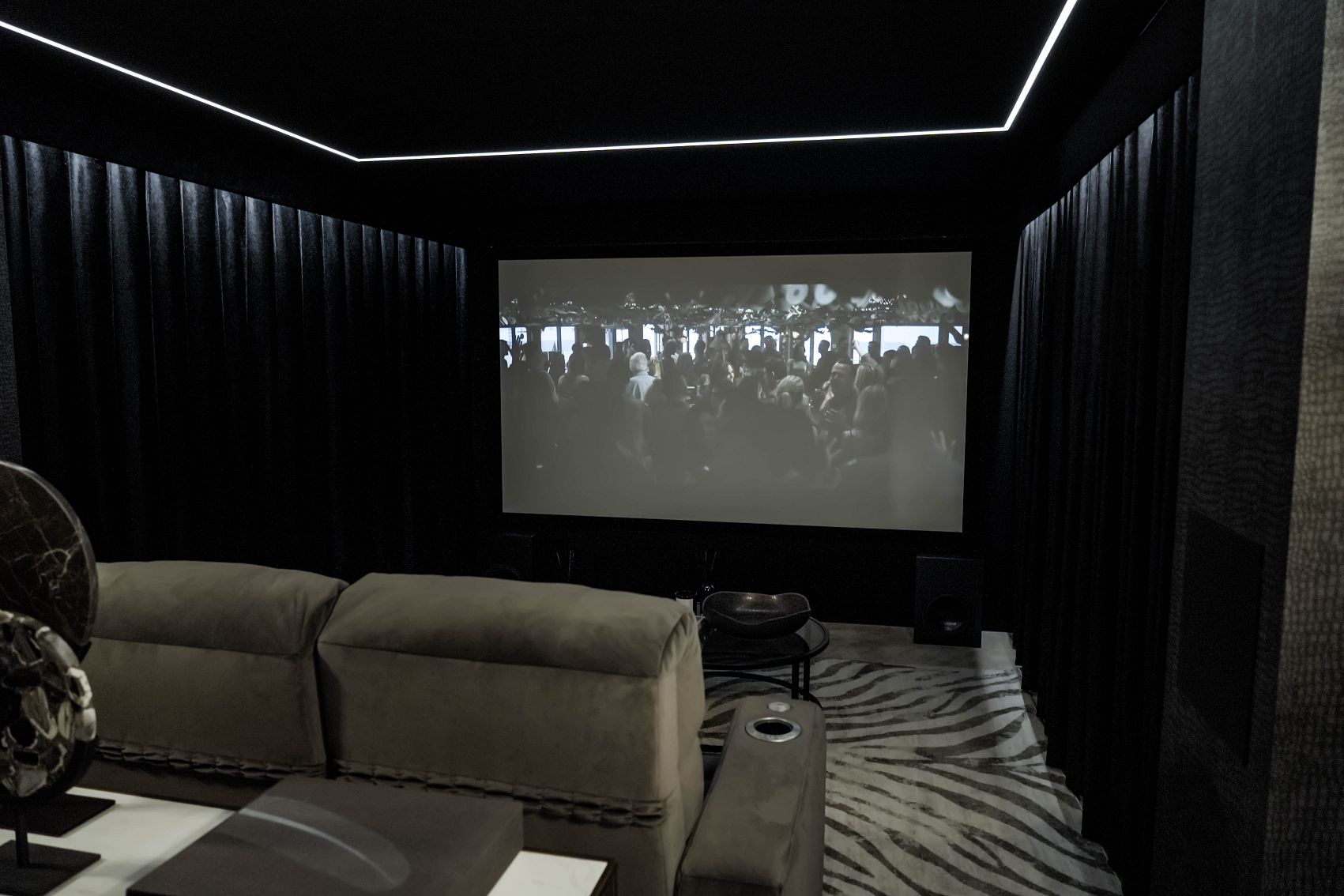
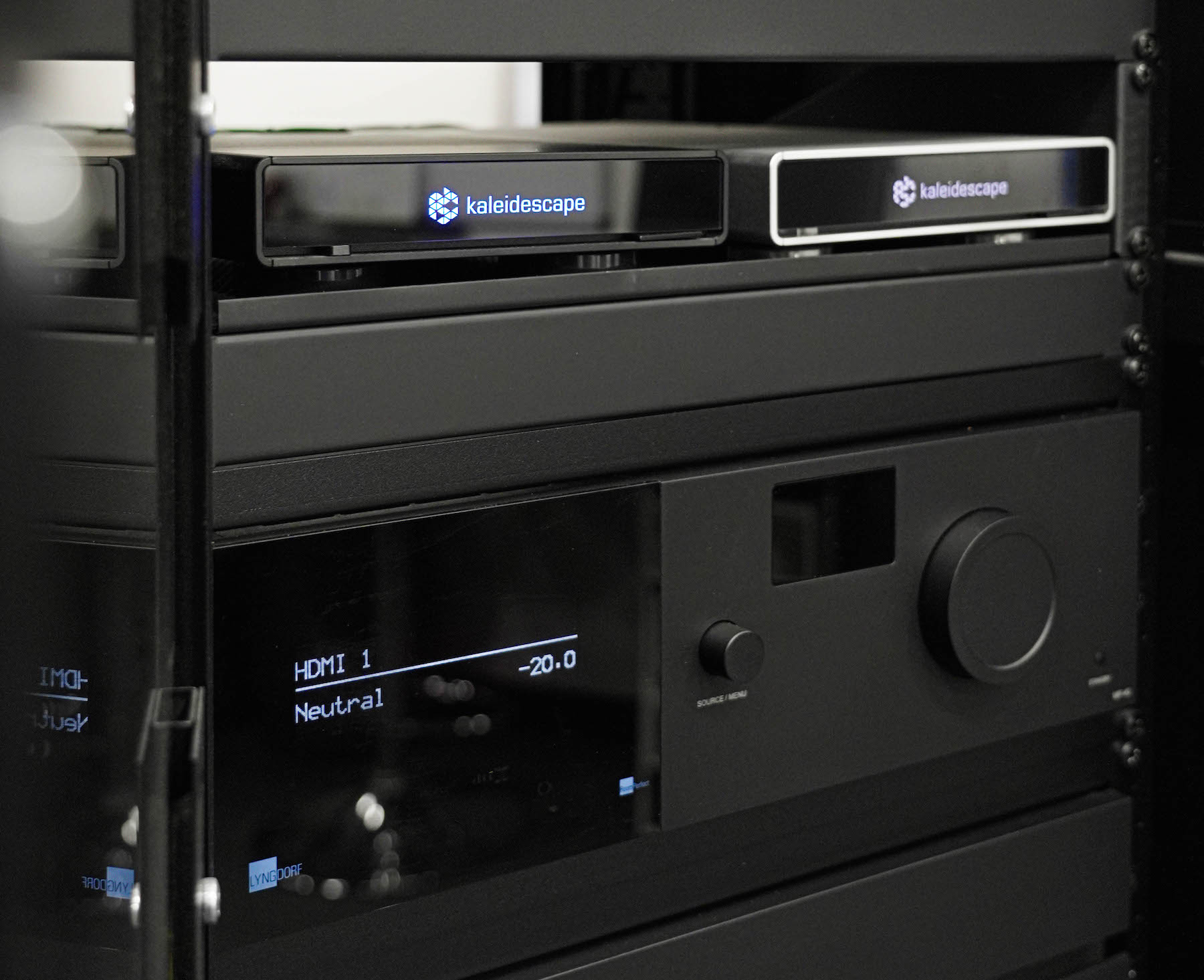
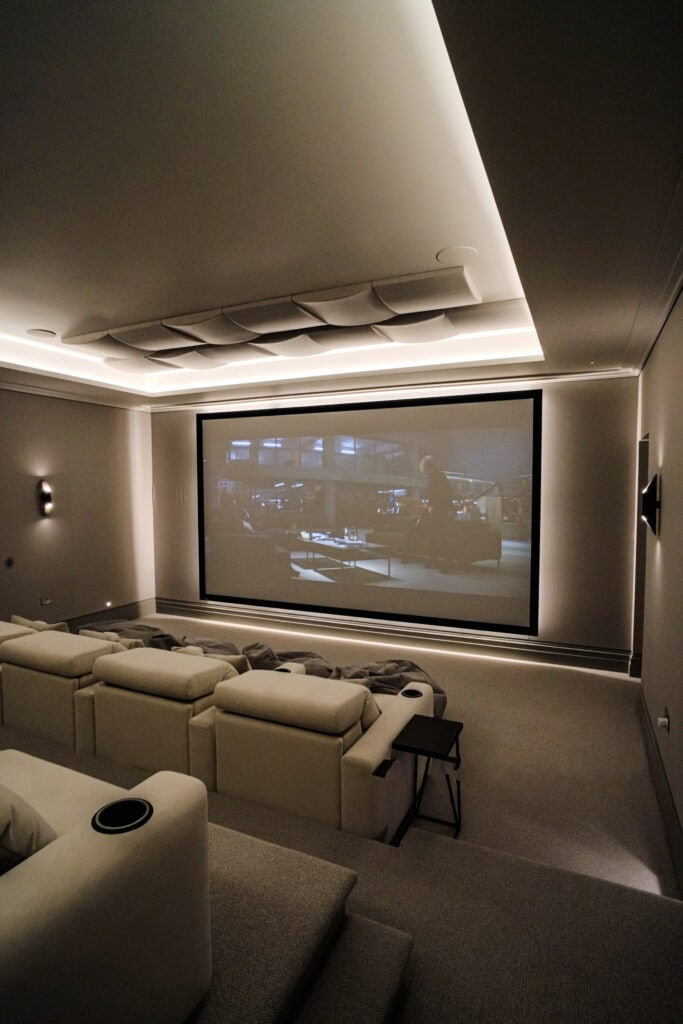
The best way to judge Kaleidescape is to watch it in a room built for it. In our demonstration cinema, two Kaleidescape players sit in the equipment rack above the AV processor. They feed a Sony 4K laser projector and a 2.8 metre wide acoustically transparent screen, with a Lyngdorf Audio 7.2.2 sound system around the seats, and the whole room runs from one handheld remote. Visits are by appointment through our home cinema showroom in Surrey page.

In a luxury home cinema, the film source deserves the same early attention as the projector and the sound system. Choosing Kaleidescape early affects the size of the rack, where a server can sit quietly, and how the network is cabled, so it is far easier to plan in than to add later.

kaleidescape installer
Integration

Kaleidescape and Control4: one remote for the whole cinema

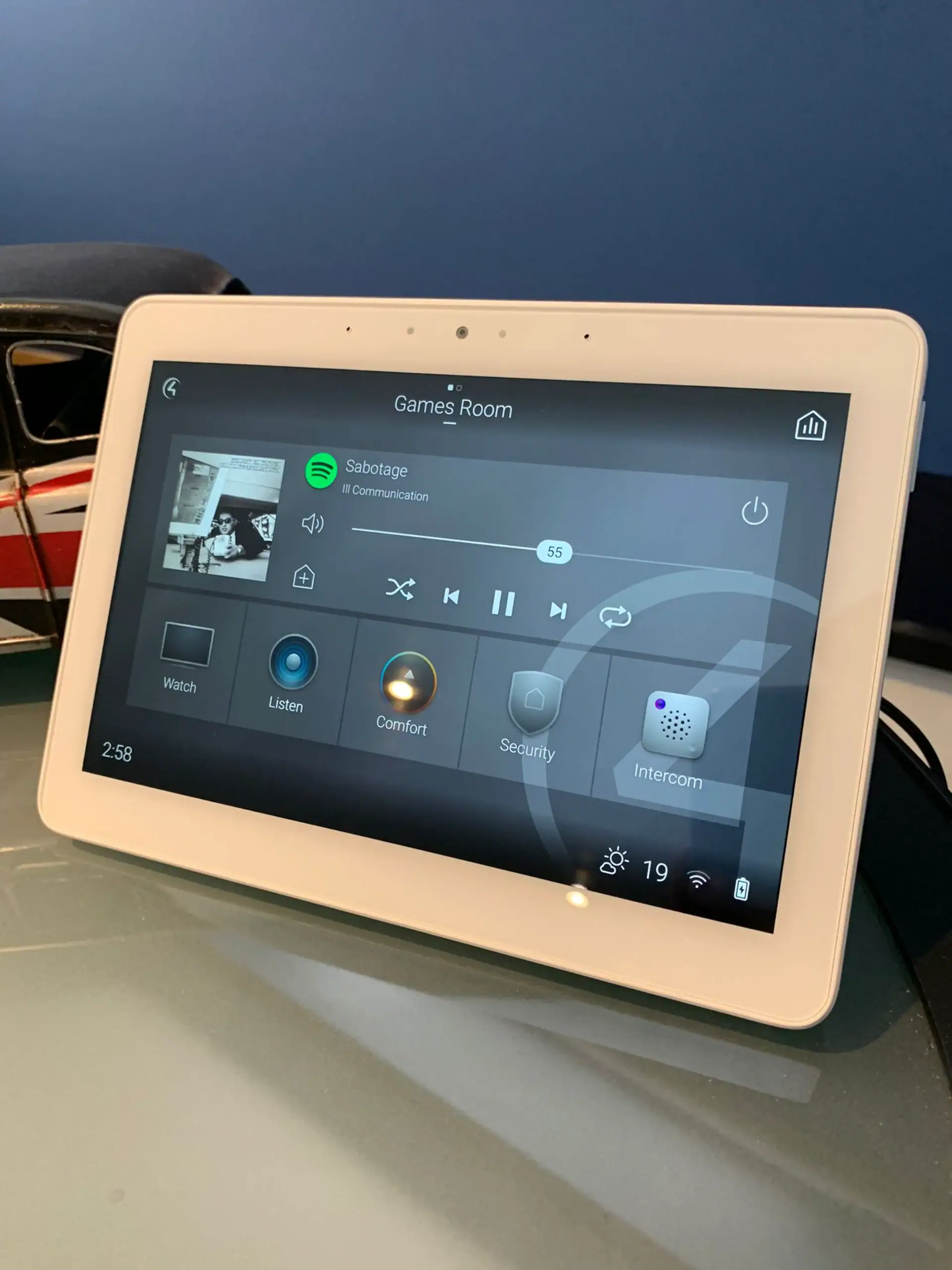
Kaleidescape publishes Control4 drivers for its movie players, and they are also available in the Control4 driver database. As a Control4 Platinum dealer, we use them so the film player becomes part of the room instead of another box with its own remote. In a cinema we design, we can program behaviour like this:

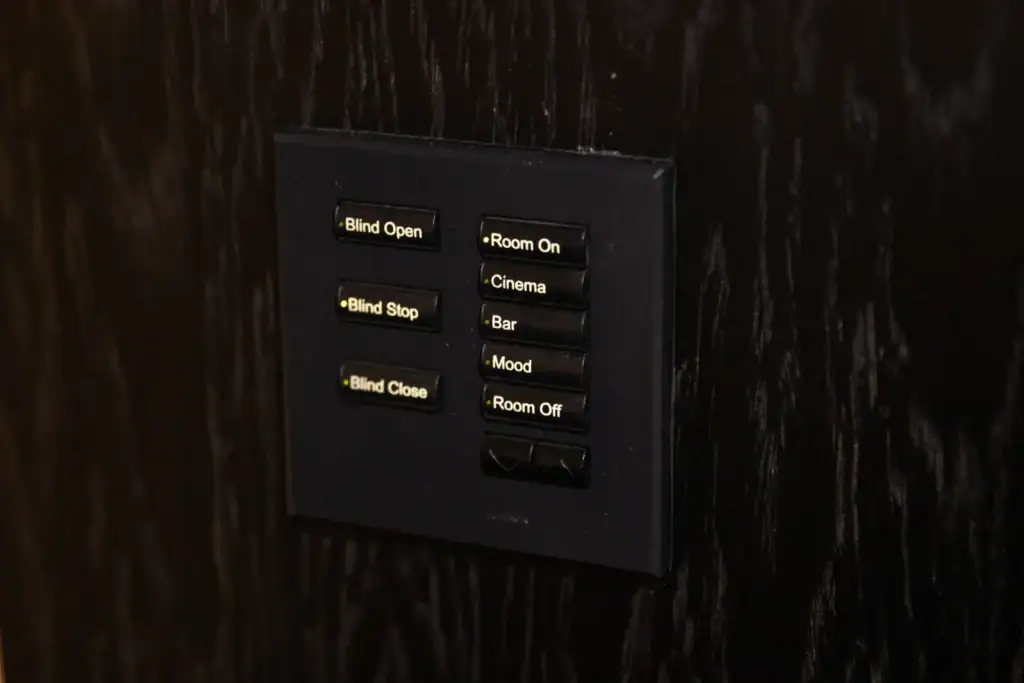
  • Press Cinema on the remote and the projector powers up, the processor switches to the Kaleidescape input, the blackout blinds close and the Lutron lighting fades to a low glow.
  • Start the film and the last of the lights go down, leaving only step lights at floor level.
  • Pause and a soft wash comes back so nobody trips on the way out for drinks; resume and the room goes dark again.
  • At the end of the film the lights rise slowly rather than snapping on.

Our article on Control4 scenes and everyday automations shows how we build these. Kaleidescape downloads films in the background over wired Ethernet (gigabit on Strato K, with 2.5G support on Terra Prime servers), so the cinema needs proper network cabling; our guide to Control4 network requirements covers the same groundwork.

Already own Kaleidescape?

Already have Kaleidescape? We can help

We help owners whose Kaleidescape system was installed by someone else, has stopped behaving as it should, or needs to move. Typical work includes:

  • adding or updating the Control4 drivers so the player works properly from your remote and touchscreens;
  • rebuilding lighting and blind scenes after a redecoration, a new projector or a new screen;
  • checking the network and cabling when downloads stall or playback stutters;
  • planning an upgrade path: Kaleidescape says older M-Class players play Blu-ray quality titles, while 4K HDR titles need a Strato player;
  • moving the system into a new cinema or media room and setting it up again.

Our takeover and maintenance service explains how we take on systems we did not install. Hardware faults under warranty stay with Kaleidescape.

Ask about your system Call 020 3397 9888

We also look after systems installed by other companies. See takeover and maintenance.

Compare

Kaleidescape or a streaming box in a family media room?

Kaleidescape earns its place where a large screen and a serious sound system will show the difference. In a family media room built around a TV, used mostly for sport and box sets, a streaming box is often enough, and the budget may do more good on acoustic treatment or seating. The two also sit happily side by side: Kaleidescape for films in the cinema, streaming apps for everything else, all on the same Control4 remote.

kaleidescape installer
Our showroom

See and hear it before you decide

Visit our demonstration cinema and smart home showroom in Walton-on-Thames and try the technology for yourself.

“Fantastic service from Andy and Adrian, who installed a cinema room and full Sonos sound integration throughout my home. I would definitely recommend them! Their communication and professionalism were excellent from start to finish, and the cinema room they created was outstanding.”

C
Chris KiplingGoogle review

“We engaged AOI for the renovation of our period property in West London. A key requirement was a discreet, high-performance cinema arrangement that would blend seamlessly with the original character of the house, and they delivered exactly that.”

F
Fraser RobsonWest London

“We've worked with the team at Art of Integration on several high-end residential projects, where they've delivered Control4 smart home systems. From the initial design through to client handover and ongoing support, their attention to detail and level of service has been outstanding.”

A
Amanda HollisTrade partner
Questions

Kaleidescape: your questions answered

Anything else, call us on 020 3397 9888.

Is Kaleidescape available in the UK?

Yes. Kaleidescape says its Movie Store is currently available in the United States, the United Kingdom and Canada, so a system installed in a UK home can buy and download films directly. We design and install Kaleidescape for homes across Surrey and London, and you can see two Kaleidescape players running in our Walton-on-Thames demonstration cinema by appointment.

Does Kaleidescape need an internet connection to play films?

It needs an internet connection to buy and download films, but not to watch them. Films are stored locally on a Strato player or a Terra Prime server, and Kaleidescape says purchases remain playable when the system is not connected. That is why a Kaleidescape film looks the same however busy your broadband is that evening.

What is the difference between a Kaleidescape Strato player and a Terra server?

A Strato player connects to your projector or TV and plays the film. The Strato K can work alone, storing around seven films at Kaleidescape's top 4K quality on its internal drive. A Terra Prime server stores a much larger collection and can serve any number of Strato players, so it suits people who want a permanent library across several rooms.

Does Kaleidescape work with Control4?

Yes. Kaleidescape publishes Control4 drivers for its movie players, and they are also listed in the Control4 driver database. We use them so one Control4 remote or keypad can start a film, switch the projector and sound system, close the blinds and dim the Lutron lighting together, with the lights responding when you pause or finish the film.

Can I re-download films I have bought from the Kaleidescape Store?

Yes. Kaleidescape says purchased films can be downloaded again at any time. That matters if you use a Strato player without a server, because downloads can be set to clear automatically 48 hours after playback to free space. The film stays on your account and can come back to the player when you want to watch it again.

Where can I see a Kaleidescape system before deciding?

Our Walton-on-Thames demonstration cinema runs two Kaleidescape players with a Sony 4K laser projector, a 2.8 metre wide acoustically transparent screen and a Lyngdorf Audio 7.2.2 sound system, all from one handheld remote. Visits are by appointment, and it is the easiest way to judge Kaleidescape in a properly designed room.

Get in touch

Talk to us about Kaleidescape

Planning a new room, or need help with a Kaleidescape system you already have? Tell us a little about it and a designer will come back to you.

  1. We call you backA quick conversation about your home, the room and your timings.
  2. Design consultationAt your home or in our Walton-on-Thames showroom, where you can see and hear the technology.
  3. Design and proposalA tailored design, with 3D visuals before you commit.

Request a free consultation

It takes less than a minute.

We will get back to you as soon as possible. We use your details to reply to your enquiry and keep them as described in our Privacy Policy.

Kaleidescape is a trademark of its owner. This page describes how we design with and install these products. Project photos are our own. Other images: Photo: Christian Collins, CC BY 2.0, via Wikimedia Commons.