Multi-room audio integration and support by Art of Integration

Bang & Olufsen multiroom and Control4 integration for B&O owners in Surrey and London

Bang & Olufsen is a Danish maker of design-led speakers, soundbars and televisions, founded in Struer in 1925. Beolink Multiroom links current B&O products from room to room, and Bang & Olufsen publishes Control4 drivers for many of them. As a Control4 Platinum dealer, we can help existing B&O owners make their system part of a wider smart home.

Since 2012Showroom in Walton-on-Thames★ 5.0 on Google
Best for

Rooms where the speakers and television are part of the interior design and are meant to be seen

Works with

Control4 (IP drivers published by Bang & Olufsen for current Beosound, Beolab and Beoconnect models), AirPlay, Google Cast and Spotify Connect

Where to see it

Bang & Olufsen's own stores. A working Control4 system can be seen at our Walton-on-Thames showroom

How we help

Control4 integration, network fixes and advice on extending, moving or replacing an existing B&O setup

Official website: Bang & Olufsen (opens in a new tab)

bang and olufsen multiroombang and olufsen multiroombang and olufsen multiroom
Overview
bang and olufsen multiroomPhoto: Maurizio Pesce, CC BY 2.0, via Wikimedia Commons
01

Beolink, Mozart and Power Link: how a modern B&O system connects

Bang & Olufsen has designed its products to work as one system since the 1990s, when BeoLink let one B&O product control another around the house. A current system connects in four layers:

  • Beolink Multiroom joins current B&O speakers and soundbars over the home network. The Bang & Olufsen app grows a system from one speaker into stereo, multiroom or surround, with up to 20 connected speakers.
  • Power Link is B&O's wired speaker connection on an RJ45 socket. A Beosound Theatre has eight Power Link outputs, and each Beolab 28 has one alongside two Ethernet ports.
  • Wireless Power Link (WiSA) and Digital Power Link carry surround channels without speaker cable. Digital Power Link connects speakers built on B&O's Mozart platform, over a wire or wirelessly.
  • Beoconnect Core is a small hub with HDMI eARC, Ethernet, Power Link and a line or optical input. It lets older B&O speakers, a Beolab 18 for example, play from a third-party TV or projector and join the multiroom system.

Each current speaker also streams directly through AirPlay, Google Cast, Spotify Connect and TIDAL Connect, so guests can play music without learning a new app.

bang and olufsen multiroomPhoto: Maurizio Pesce, CC BY 2.0, via Wikimedia Commons
02

Why B&O owners want it inside a smart home

People rarely buy Bang & Olufsen to hide it. A pair of Beolab 28s on the wall, or a Beosound Theatre beneath a large OLED screen, is part of how the room looks, and owners expect the controls to be just as considered. The usual frustration is the opposite: the B&O app, a Beoremote, the TV handset, a lighting keypad and a heating app, each doing part of the job.

Bringing B&O into a smart home addresses that in three ways:

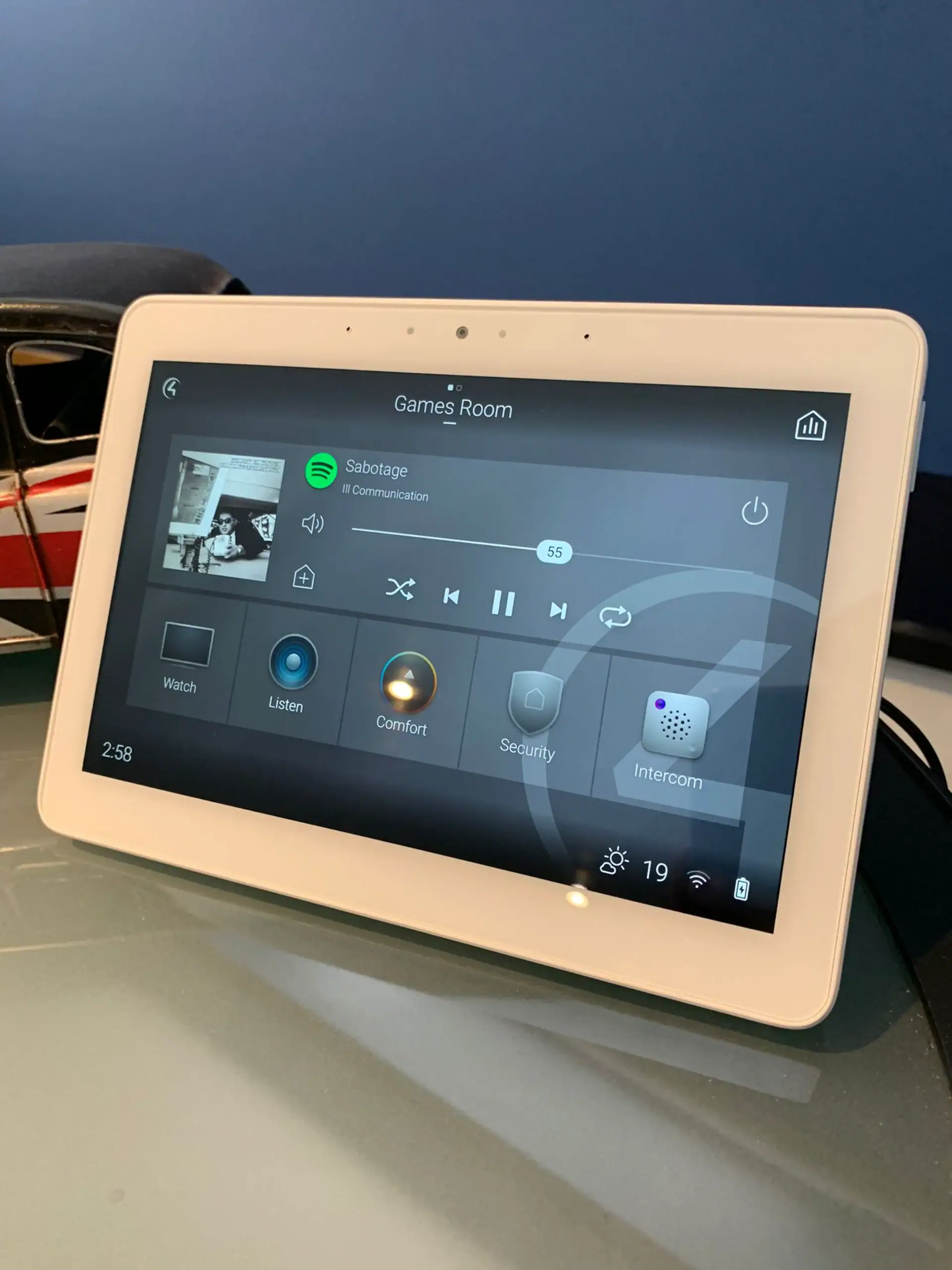
  • the TV, soundbar and speakers start and stop with the room's scenes rather than with their own remote;
  • music in the kitchen, garden room and study can be started from the same touchscreens and keypads as the lights and heating;
  • the network that Beolink Multiroom depends on is designed and looked after as part of the house, not left to the broadband provider's router.

The Beosound Theatre shows how far B&O already goes towards this on its own. One of its four gigabit Ethernet ports is reserved for an LG OLED TV, so the TV and soundbar are controlled together from a Beoremote One or the B&O app.

bang and olufsen multiroomPhoto: Thomersch, CC BY 4.0, via Wikimedia Commons
03

One master system: planning B&O alongside Control4 and Lutron

  • Pick one master. B&O has its own home automation route: Beoremote Halo works with BeoLiving Intelligence to run lights, shades, temperature and music. That suits a house built around B&O. In a house already run by Control4, we would usually keep Control4 as the master and let B&O handle sound and vision, so there is one set of scenes to maintain.
  • Wall positions and cables. A Beolab 28 can be wall-mounted or floor-standing. On a wall, each speaker needs power and ideally Ethernet at the bracket, which has to be agreed before decorating.
  • Visible or built in. For rooms where speakers should disappear, B&O offers the Celestial in-ceiling speakers and the Beosound Shape wall panels, and it positions Beoconnect Core as the hub for built-in setups like these. Ceiling positions need the same checks for joists and lighting as any recessed fitting.
  • Wired or wireless surround. Wireless Power Link is convenient in a finished room. In a renovation, running cable to the surround positions keeps both options open.
  • Mixed brands. If other rooms use different speakers, plan one control layer over all of them so the household learns a single way of choosing music. Our multi-room AV page explains how zones are laid out.
Our approach

How we would approach Bang & Olufsen in your home

Bang & Olufsen sells through its own stores and custom integration team, which handle the products themselves. Our role is the house around them:

  • List what you own. Model names and ages matter. A Beosound Level or Balance has a published Control4 driver; an older Power Link speaker may need a Beoconnect Core before it can join in.
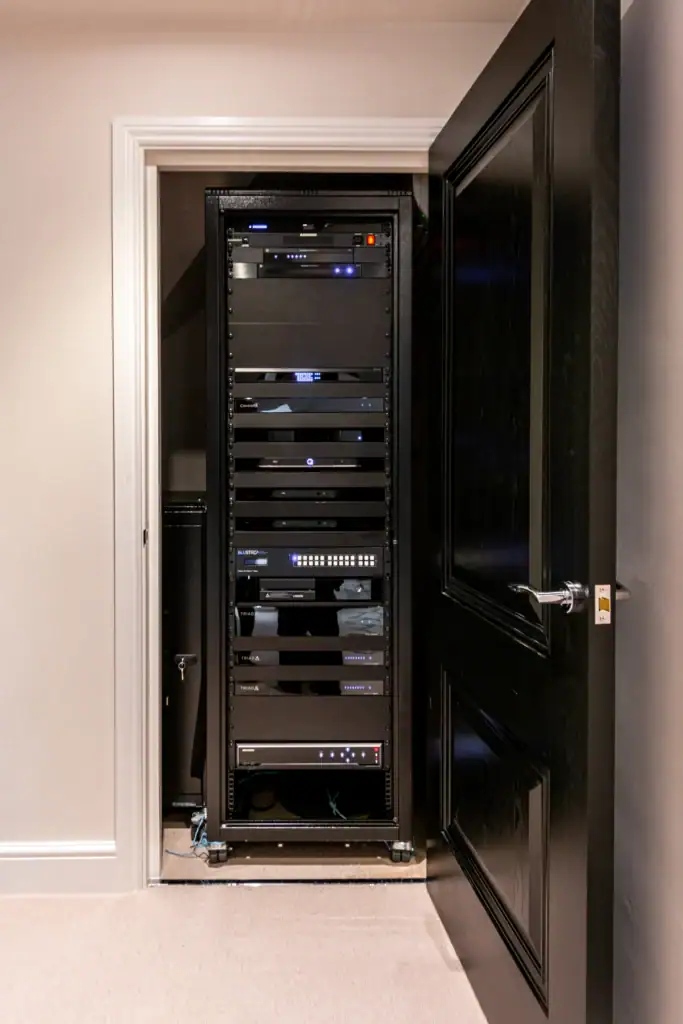
  • Check the network first. Multiroom speakers, the Theatre's Ethernet ports and the optional Power over Ethernet wall mount for Beoremote Halo all depend on it. Cable wherever possible and Wi-Fi where not, following our Control4 network requirements guide.
  • Agree who is in charge. Decide room by room whether Control4, a Beoremote or both will run the system, then set up the drivers to suit.
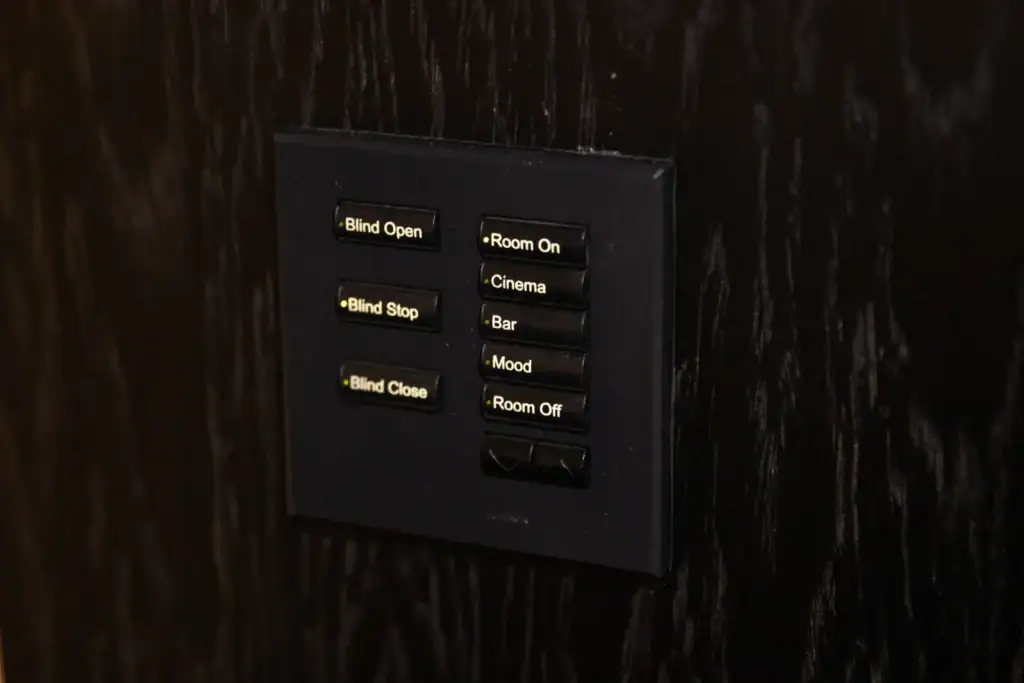
  • Design the buttons. Work out what each scene should do across sound, lighting and blinds, using the approach in our guide to Control4 scenes and everyday automations.
A wall-mounted Bang & Olufsen music control panel with a screen and a round aluminium control wheel
Photo: Thomersch, CC BY 4.0, via Wikimedia Commons
Integration

Bang & Olufsen Control4 drivers and the scenes they make possible

Control4's driver database lists IP drivers created by Bang & Olufsen itself for current models, including the Beosound Theatre, Beosound Level, Balance, Emerge, A5, A9 and Beosound 2, the Beolab 8 and Beolab 28 speakers, and Beoconnect Core. Those drivers are the basis for bringing B&O into a Control4 system. Once they are installed:

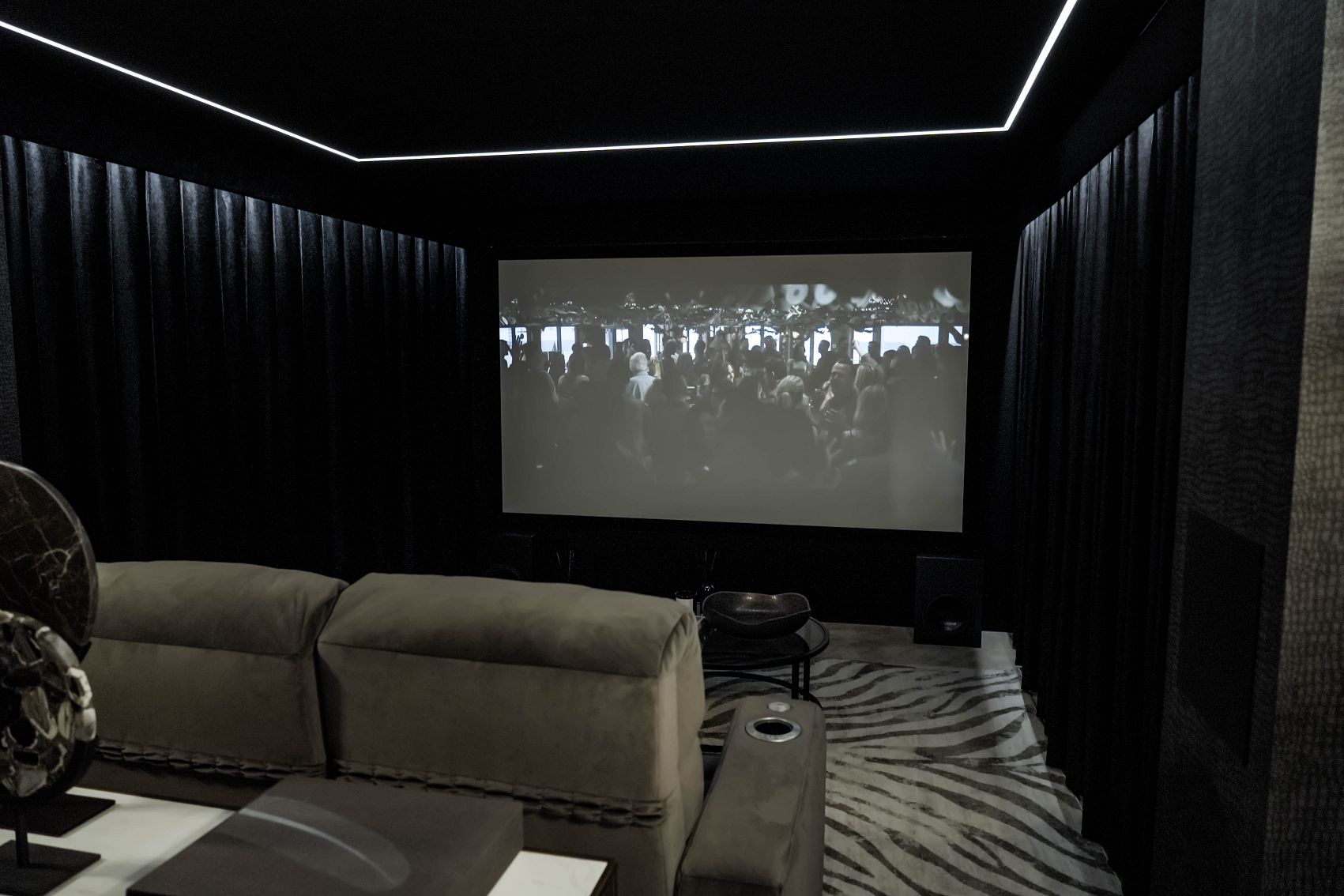
  • an Evening scene could switch on the TV and Beosound Theatre, lower the Lutron lighting and draw the motorised curtains;
  • a Breakfast button in the kitchen could start the radio on a Beosound Level at a low volume while the blinds open;
  • an Away command could switch off every B&O product together with the lights when the alarm is set.

Exactly what each driver controls varies by model, so we check the driver for your products before designing scenes around it.

Already own Bang & Olufsen?

Already have Bang & Olufsen at home? Talk to us

If you own Bang & Olufsen products, whoever supplied them, we can help with:

  • adding the Bang & Olufsen-published Control4 drivers and building scenes around your TV, soundbar and speakers;
  • getting older Power Link speakers playing from a new TV or projector through a Beoconnect Core;
  • fixing multiroom dropouts caused by weak Wi-Fi or an overloaded network;
  • linking Lutron lighting and blinds to your viewing and listening scenes;
  • moving a system to a new house, or advising whether to extend or replace it.

Where another company installed the wider system, our takeover and maintenance service covers the control and network side. Product repairs and warranty questions stay with Bang & Olufsen.

Ask about your system Call 020 3397 9888

We also look after systems installed by other companies. See takeover and maintenance.

Compare

Bang & Olufsen or Sonos for multiroom in a Control4 home?

Both make capable multiroom systems, and many houses would be happy with either. Bang & Olufsen suits rooms where the speaker is a piece of design, where older Power Link speakers are worth keeping, or where a Beosound Theatre or Beolab 28 is the centrepiece. Sonos offers a broad range of speakers, soundbars and amplifiers for driving architectural speakers, which makes it easy to put music in every small room. Some homes use B&O in the main living spaces and something more discreet elsewhere, with Control4 giving the household one way to run both.

bang and olufsen multiroom
Our showroom

See and hear it before you decide

Visit our demonstration cinema and smart home showroom in Walton-on-Thames and try the technology for yourself.

“Fantastic service from Andy and Adrian, who installed a cinema room and full Sonos sound integration throughout my home. I would definitely recommend them! Their communication and professionalism were excellent from start to finish, and the cinema room they created was outstanding.”

C
Chris KiplingGoogle review

“We recently worked with Adam and the Art of Integration team to upgrade the WiFi and Sonos system in our home in Chobham. From the outset, the team were incredibly professional, friendly, and attentive to every detail.”

D
Daniel EldChobham

“We brought in Art of Integration to upgrade the WiFi and Sonos system at our home in Wimbledon Village. From the first visit, it was clear they knew exactly what they were doing.”

R
Rebecca Bottriell-AdamsWimbledon Village
Questions

Bang & Olufsen: your questions answered

Anything else, call us on 020 3397 9888.

Does Bang & Olufsen work with Control4?

Yes, for many current models. Control4's driver database lists IP drivers created by Bang & Olufsen for products including Beosound Theatre, Beosound Level, Balance, Emerge, A5, A9, Beosound 2, Beolab 8, Beolab 28 and Beoconnect Core. As a Control4 Platinum dealer, we can use them to bring B&O into scenes with Lutron lighting and blinds. Exact features depend on each driver.

Can I connect my old Bang & Olufsen speakers to a new TV?

Usually, yes. Beoconnect Core is a hub with HDMI eARC, Power Link, Ethernet and a line or optical input. It connects older B&O speakers with Power Link, such as a Beolab 18, to a third-party TV or projector, and adds them to Beolink Multiroom so they can play music streamed from the app.

How many speakers can the Bang & Olufsen app control?

Bang & Olufsen says its app can grow a system from one speaker into stereo, multiroom or surround sound with up to 20 connected speakers. In a larger house, or where B&O sits alongside lighting, blinds and other audio brands, a Control4 system can give one set of controls across the whole home.

What is Beolink Multiroom?

Beolink Multiroom is Bang & Olufsen's way of linking current speakers, soundbars and televisions so they can play the same music or different music in different rooms. It runs over the home network, which is why reliable Wi-Fi or wired Ethernet matters. Older Power Link speakers can join through a Beoconnect Core.

Can Bang & Olufsen control my lights and blinds?

Bang & Olufsen's Beoremote Halo can work with BeoLiving Intelligence to control lights, shades, temperature and music. In a home already run by Control4, the usual approach is the reverse: Control4 controls Lutron lighting and motorised blinds, and the B&O products join its scenes through Bang & Olufsen's Control4 drivers.

Get in touch

Talk to us about Bang & Olufsen

Planning a new room, or need help with a Bang & Olufsen system you already have? Tell us a little about it and a designer will come back to you.

  1. We call you backA quick conversation about your home, the room and your timings.
  2. Design consultationAt your home or in our Walton-on-Thames showroom, where you can see and hear the technology.
  3. Design and proposalA tailored design, with 3D visuals before you commit.

Request a free consultation

It takes less than a minute.

We will get back to you as soon as possible. We use your details to reply to your enquiry and keep them as described in our Privacy Policy.

Bang & Olufsen is a trademark of its owner. This page describes how we can integrate and support these products. Project photos are our own. Other images: Photo: Maurizio Pesce, CC BY 2.0, via Wikimedia Commons; Photo: Thomersch, CC BY 4.0, via Wikimedia Commons.